

簡潔而靈活

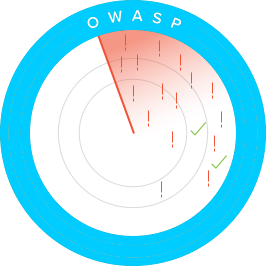
零日防護(OWASP-10)

不限流量 DDoS 防護

自動虛擬補丁

1. Get total application security in five easy steps.
WP-Firewall 讓您完全掌控。透過 5 步部署嚮導和預載規則集,您可以快速輕鬆地上線。或者,您也可以採取更深入的方式,為您選定的 WordPress 網站開發、微調並應用自己的自定義策略。無論哪種方式,WAF-as-a-Service 都為您提供全面的工具和功能,確保完整的應用安全。

2. Get powerful DDoS protection at no additional cost.
不限流量的 DDoS 防護能力透過阻斷全方位的應用層威脅 — 遠不止 OWASP Top 10 漏洞 — 為您提供完全的安心。此外,與其他方案不同,WAF-as-a-Service 提供全譜系 Layer-3 至 7 層 DDoS 防護,確保您業務所依賴的應用持續可用。我們提過它也是不限流量的嗎?沒錯 — 完整的 DDoS 防護已包含在內,無需額外付費。
為了逃避檢測,複雜的惡意機器人會模模擬人使用者。然而,誤攔合法機器人可能損害您的業務,因此機器人防禦必須區分合法與危險的機器人,以及真人使用者與高階機器人。WP-Firewall 的 WAF-as-a-Service 提供高階機器人防護,利用機器學習持續增強其檢測和攔截惡意機器人及仿人機器人的能力 — 同時讓正常的人力和機器人流量幾乎無感地透過。
3. Automatically detect and address vulnerabilities.
複雜的部署、頻繁的應用更新和快速的應用釋出都可能引入問題。WAF-as-a-Service 利用我們強大的漏洞掃描器,持續掃描您的整個部署環境以發現缺陷。
當發現漏洞時,它可以自動修復,或一鍵修復 — 即使是仍在開發中的應用也不例外。您還可以透過提供有關漏洞發現和修復的詳細報告來證明合規性。
選擇方案
加入全球超過 3,000,000 家企業信賴的自動化網站安全系統,迴歸您最擅長的工作。
功能豐富、易於使用、穩定、安全且支援完善的 WORDPRESS 防火牆安全外掛
防火牆透過掃描漏洞並實施和執行最新的 WordPress 安全最佳實踐和方法,降低安全風險。
Simple method to restrict nation and IP.
Using a firewall security plugin, the administrator may defend the website against unwanted traffic and malicious bots.
The firewall safeguards your website from several types of threats.
And adds a layer of security to your website.

「WP-Firewall」是我在嘗試了多個其他應用之後,唯一能給我帶來良好效果的產品……現在我可以輕鬆阻止機器人訪問嘗試、禁止惡意使用者,並控制機器人、駭客和爬蟲訪問我網站的方式,而不會壓垮伺服器資源。
– Priscilla J, New Media US Group
我們的功能
資源佔用輕,安全防護重
作為基於雲的 WordPress 防火牆(SaaS),WP-Firewall 比其他 WordPress 安全外掛節省多達十倍的記憶體。
自動化安全維護
使用這個星球上最有效、最易用的網站防毒軟體和其他安全技術,自動掃描、清理並防禦您所有被感染的網站。此外,還能在數秒內分析無法自動解決的複雜安全事件。
檢測新的安全漏洞
如果您的某個網站發現新的安全漏洞,您會立即收到通知。WP-Firewall 持續檢查所有 WordPress 核心、外掛和主題版本的安全性。
透過虛擬補丁自動防護
使用 WP-Firewall 阻斷駭客攻擊,在安全漏洞被利用之前獲得虛擬補丁保護。
常見問題
The OWASP Top 10 is a frequently updated report that outlines web application security vulnerabilities, focusing on the ten most critical threats. A team of security specialists from around the world compiled the study. The Top 10 is referred to by OWASP as a “awareness document,” and the organization recommends that all businesses incorporate the report into their procedures in order to avoid and/or mitigate security threats.
Please find the latest OWASP Top 10 list here: https://owasp.org/Top10/
Reduces HTTP flood attacks by employing several degrees of default protection rules, custom protection policies, throttling policies, CAPTCHA verification, and blocking policies.
2. 緩解漏洞: It can patch known vulnerabilities in plugins and themes, reducing the risk of exploitation.
3. 效能最佳化: Offloading security processes to a cloud-based firewall can improve website performance by reducing server load.
4. 實時更新: Firewalls provide real-time updates to defend against emerging threats.
5. 24/7 安全監控: Continuous monitoring and protection ensure your site remains secure round-the-clock.
Using a firewall is essential for maintaining the security and integrity of a WordPress site in an increasingly hostile online environment.
– 自動補丁: Fixes vulnerable plugins and site components instantly.
– 24/7 支援: Supported by a dedicated security operations center.
For more advanced protection, various paid plans are available.
For more detailed information,立即聯絡我們。